Merchandising as a growth engine
01 Choose the strategy
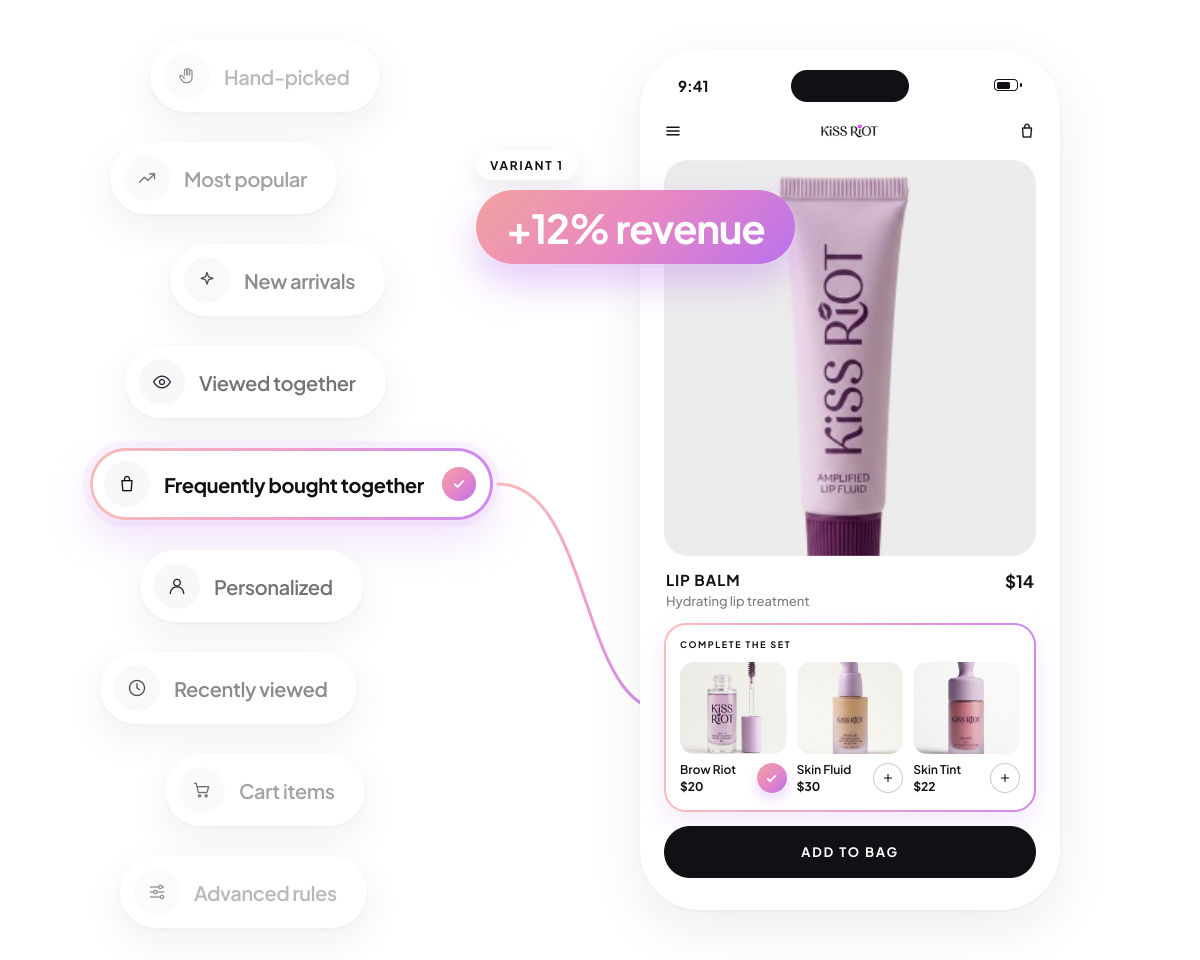
Pick a recommendation algorithm or select products yourself.
02 Personalize every experience
Use shopper behavior and product context, with supported fallbacks.
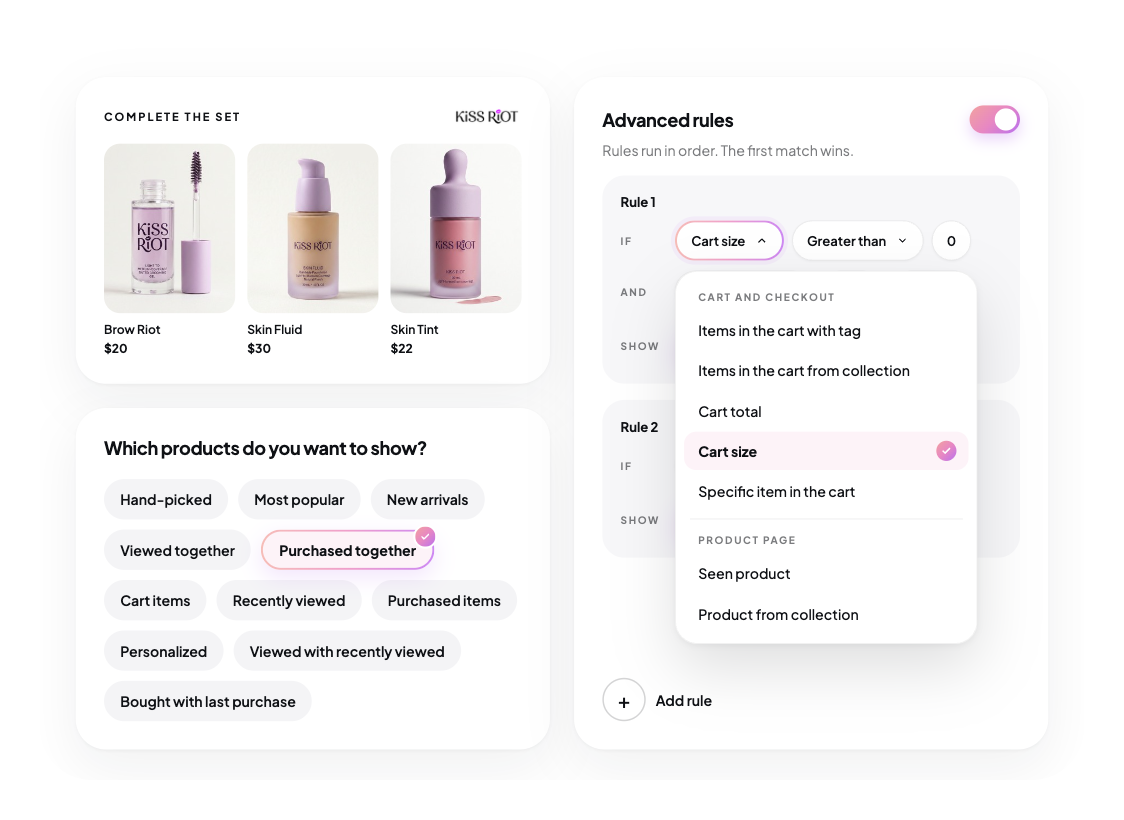
03 Manage rules and design, without developers
Set product rules and match the design to your brand.
04 Test, learn, and optimize
Test different strategies and see what performs best.

Product recommendations across the shopping journey
Real experiments
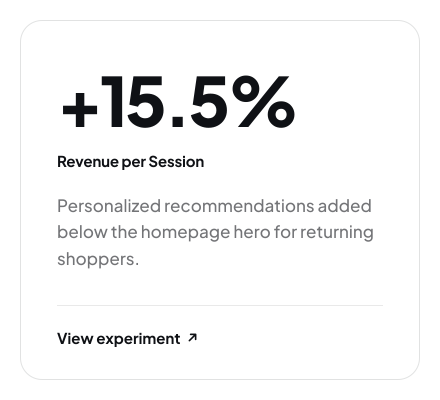
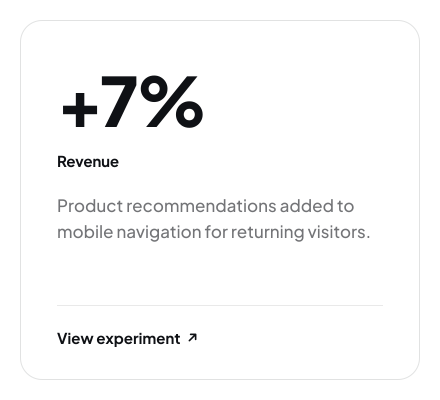
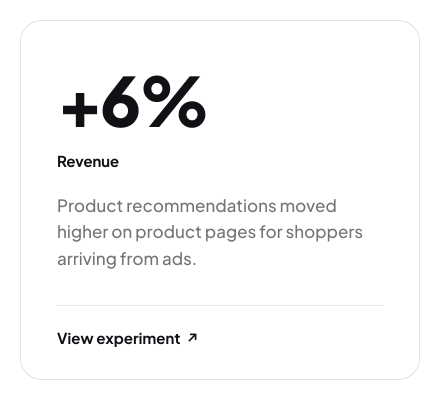
Tested on real stores
YOU MAY NEED TO KNOW
Frequently Asked Questions
Where can I display product recommendations?
Visually supports recommendation placements across the shopping journey, including product pages, cart, checkout, and post-purchase. You can also optimize other storefront touchpoints, such as the homepage, collection pages, and search experiences.
What product recommendation strategies does Visually support?
Visually offers 12+ recommendation strategies, including most Popular, New Arrivals, Cart Items, Recently Viewed, Purchased Items, Viewed Together, Purchased Together, Personalized, Advanced Rules, Viewed with Recently Viewed, Recently Viewed, Purchased with Recently Purchased, Manual

Can I control which products appear in recommendations?
Yes. Set rules based on product tags, collections, price, inventory, reviews, ratings, color, metafields, and more. These settings help you control which products qualify for each recommendation placement.
Can I customize the design of recommendation widgets?
Can I personalize recommendations for different shoppers?
Yes. Use segmentation and personalization to tailor shopping experiences to different audiences and shopper behaviors, helping surface more relevant products throughout the funnel.
Can I A/B test product recommendations?
Do I need developers to manage product recommendations?
No. Merchandising rules and recommendation display settings can be managed through Visually’s settings, giving your team greater control without needing developer support for routine changes.